A coding printer does not get much attention until it stops working. Then it becomes the most important machine on the line. The good news is that most printer faults are predictable, and a short routine of simple checks prevents the large majority of them.
This guide covers the daily, weekly and periodic habits that keep an industrial inkjet printer reliable, the common problems to watch for, and when it is time to call for service. Always follow your printer’s manual and the manufacturer’s instructions where they differ from the general advice below.
Why maintenance matters
Inkjet printers work with very small nozzles, fine droplets and carefully balanced fluids. A little dust, a low ink level or a skipped cleaning step can change how a code looks long before the printer reports a fault. Regular care keeps that balance, extends the life of parts and reduces unplanned stops.
Daily checks
These take only a few minutes at the start or end of a shift, and they catch problems early.
- Check the ink and make-up (solvent) levels, and top up with the correct fluids if needed.
- Look at a printed sample. Check that characters are complete, sharp and in the right place.
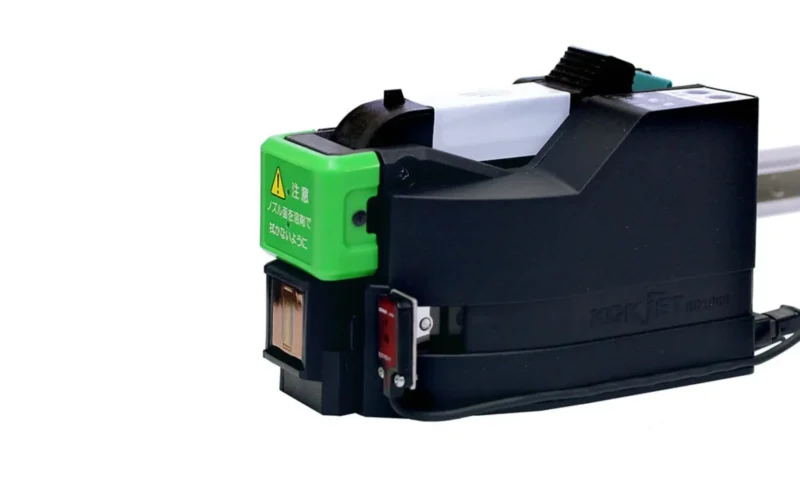
- Wipe the print head and its surroundings with a lint-free cloth and the recommended cleaner.
- Check the sensor that detects products and make sure it is clean and correctly aligned.
- Confirm that the message, date and batch information are correct before production starts.
- At the end of the shift, shut the printer down using the proper procedure, never by simply cutting the power.
Weekly and monthly routines
Beyond the daily checks, a few extra tasks keep the printer in good condition.
- Clean filters and inspect the print head according to the schedule in the manual.
- Check hoses, cables and connectors for wear, kinks or loose fittings.
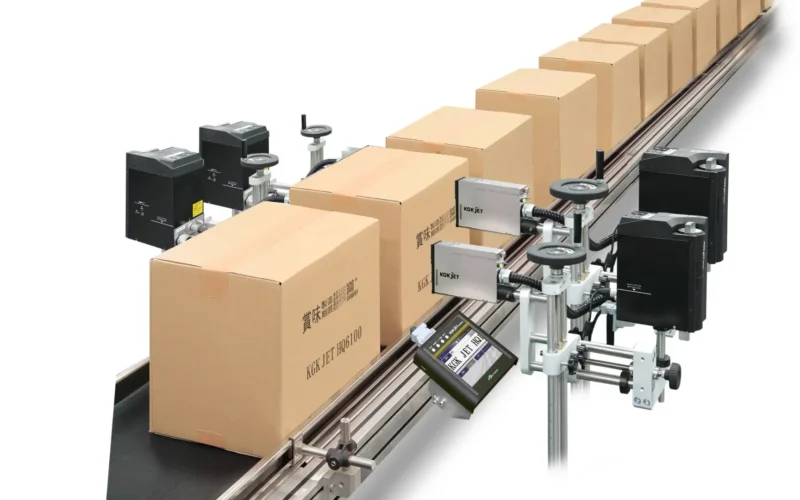
- Inspect the line set-up, including the distance between the print head and the product and the position of any guides.
- Review consumable stock so that you never run out of ink, solvent or common spares.
- Record what you find, even if nothing is wrong, so that patterns become visible over time.
Handle inks and solvents carefully
Inks and solvents are designed to work as a matched set, so use the ones specified for your printer and surface. Store them sealed, away from heat and direct sunlight, and follow the safety data sheet for handling and disposal.
Never top up with a different ink or solvent just because it is to hand. Mixing fluids can change how the ink dries and sticks, and can damage components that are costly to repair.
Look after the environment
Industrial printers prefer stable conditions. On many production sites, dust, high temperatures and humidity can all affect print quality.
- Keep the printer and print head clean, and avoid placing them where dust or splashes are heavy.
- Use the printer within its stated temperature and humidity range, and provide shade or ventilation where needed.
- Make sure the power supply is stable, and use surge protection where power is unreliable.
- Where compressed air is used, make sure it is clean and dry.
Common problems and what usually causes them
When a code looks wrong, work through the likely causes before changing any settings.
- Faded or patchy print: often a dirty or partly blocked nozzle, low ink or incorrect ink viscosity.
- Smudged or slow-drying codes: usually the wrong ink for the surface, a wet product or too much make-up fluid.
- Characters in the wrong place: a loose sensor, a shifted print head or a change in line speed.
- Print missing on some products: a dirty or misaligned product sensor.
- Difficult start-up after a long break: a nozzle blocked by dried ink, which is why correct shutdown matters.
If none of these solves the problem, or if the printer shows a fault code you do not recognise, stop and check the manual rather than guessing.
Most printer faults trace back to simple handling errors, not to the machine itself.
Train your operators
Most printer faults come from simple handling errors, such as skipped cleaning, an incorrect shutdown or the wrong fluid. A short training session for every operator pays for itself quickly. Make sure each person knows how to start up, change a message, clean the print head, recognise common problems and shut down safely.
Keep a simple, one-page checklist next to the printer. It is the easiest way to make good habits stick.
Spare parts worth keeping
A few common parts account for most unplanned stops. Keeping them on hand can turn a day of downtime into a short pause.
- Filters and cleaning supplies.
- Product sensors and cables.
- Commonly worn parts recommended by your supplier.
- A spare supply of ink and make-up fluid.
Ask your supplier which parts they recommend for your model and how quickly they can deliver others.
When to call for service
Some tasks are best left to trained engineers. Call for service when any of the following happens.
- A fault repeats after you have followed the normal cleaning and checks.
- Print quality problems continue despite using the right ink and settings.
- The printer reports alarms you cannot clear.
- A scheduled service is due.
- You notice leaks, damaged hoses or electrical problems.
Attempting complex repairs without the right training can turn a small problem into a costly one. Preventive servicing at set intervals is nearly always cheaper than emergency repair.
Service from Uptime Coding
We install and commission coding systems, train operators and offer maintenance plans, spare parts and fault response across Kenya. If your printer is giving trouble, or you would like a preventive service plan, our team can help.
Final thoughts
A reliable coding printer is rarely a matter of luck. It is the result of simple habits: daily checks, the right fluids, a clean environment, trained operators and timely servicing. Build those habits into your routine and your printer will quietly do its job.
Need help with a printer or a service plan? Get in touch with our team.